Drawing Chirple from the Holozing Game in Inkscape

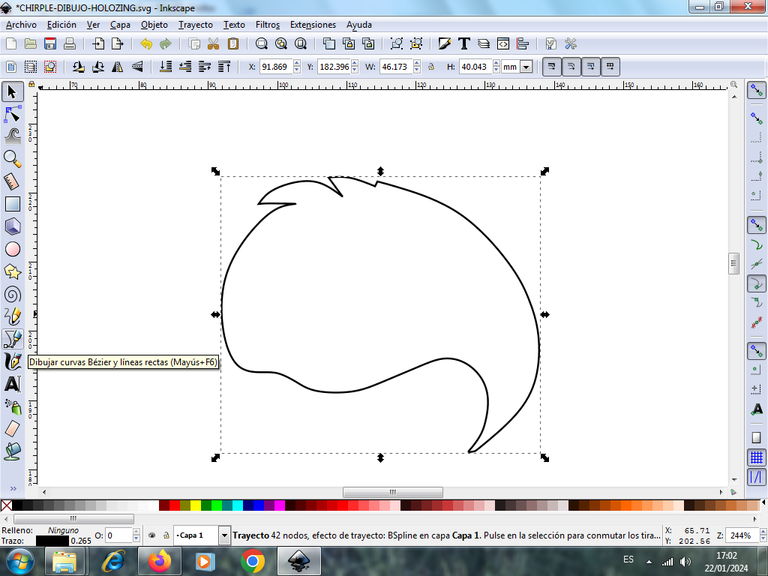
Step 1:
We open the Inkscape tool and start tracing part of this parrot's head, which is crescent-shaped, using the Bézier curves option, which is in the toolbar, on the left.
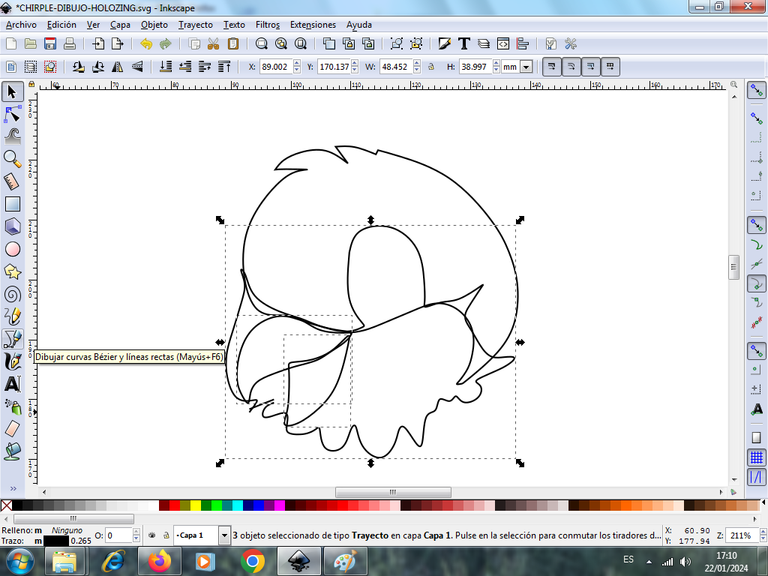
Step 2:
We continue tracing three shapes around the head, which are the beak, and the feathers above the character's face, with the same tool.
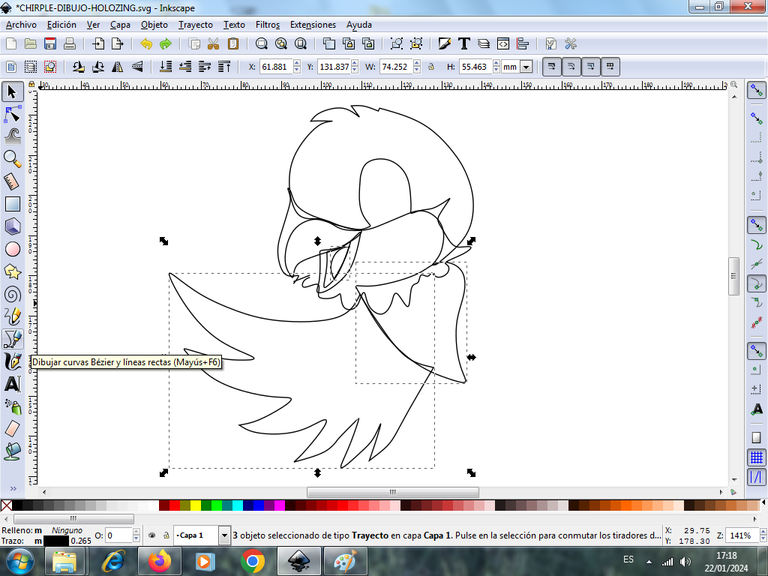
Step 3:
Next we trace the chest and a left wing, with the Bézier curves tool.
Step 4:
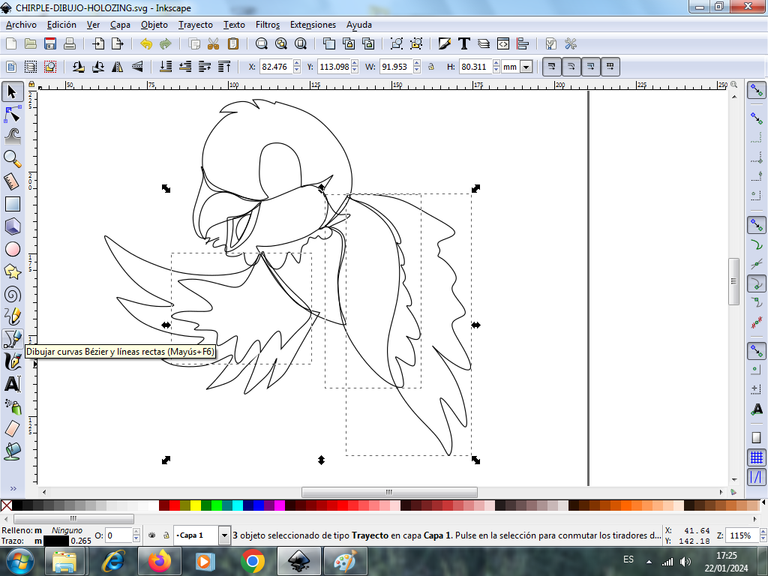
Then we trace on the right side the two figures that are the wings of the character, using the same tool.
Step 5:
We continue tracing the tail, using the Bézier curves tool.
Step 6:
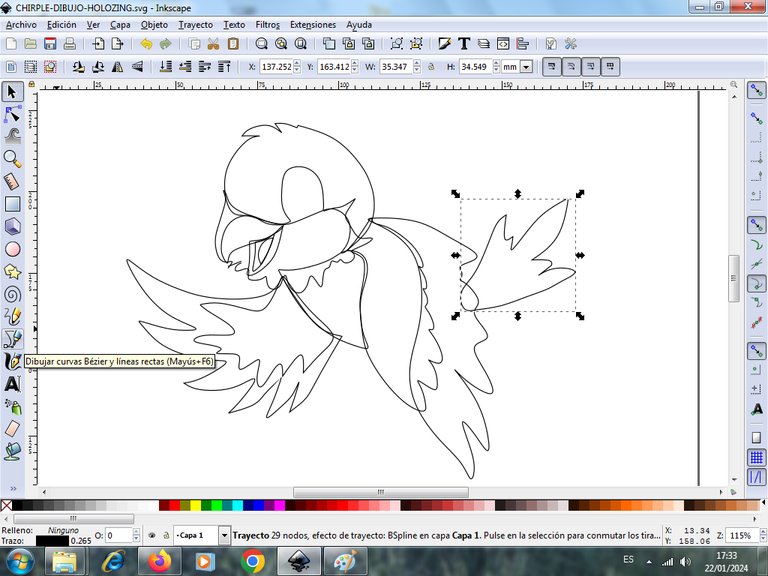
Then we draw the two legs with its nails of the character is a shape as if it was coming down to pose in a tree.
Step 7:
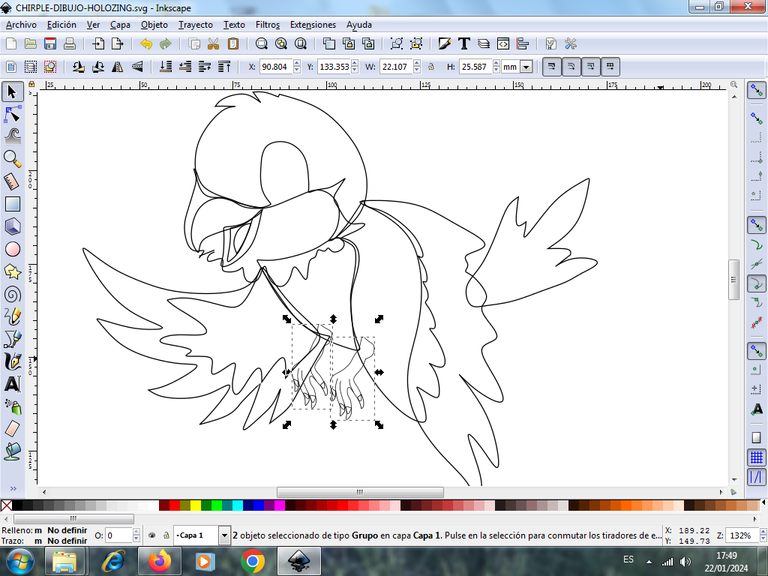
Next we trace the shapes that go in the middle of the beak, and the feathers that go inside the tail and chest, with the Bézier curve tool.
Step 8:
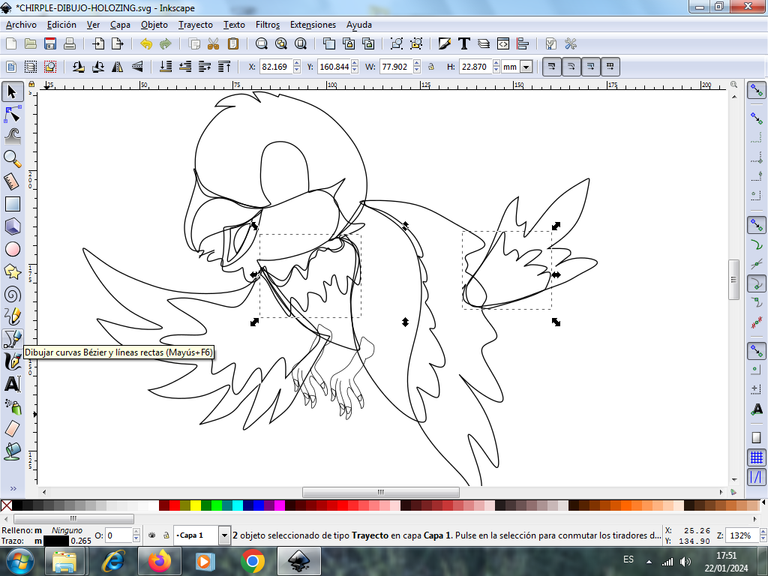
We trace two circular shapes, with the tool to create circles, in this way we trace the eye, which carries the two figures to give it the effect.
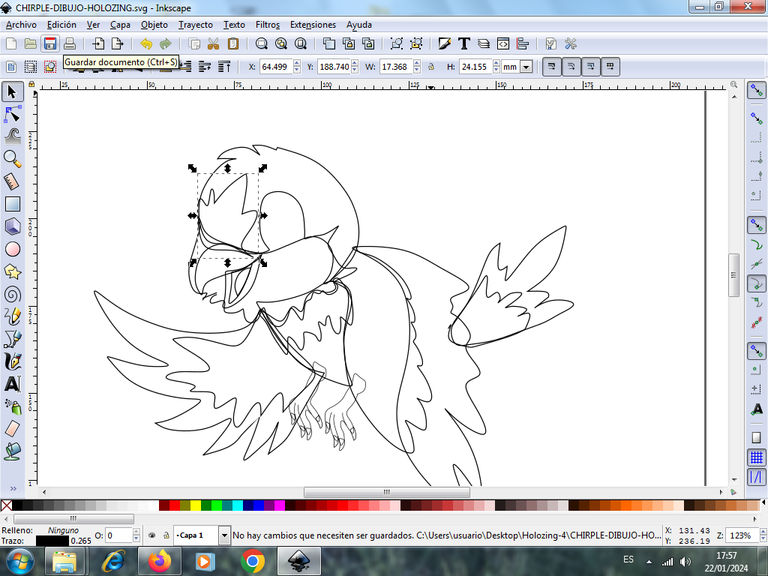
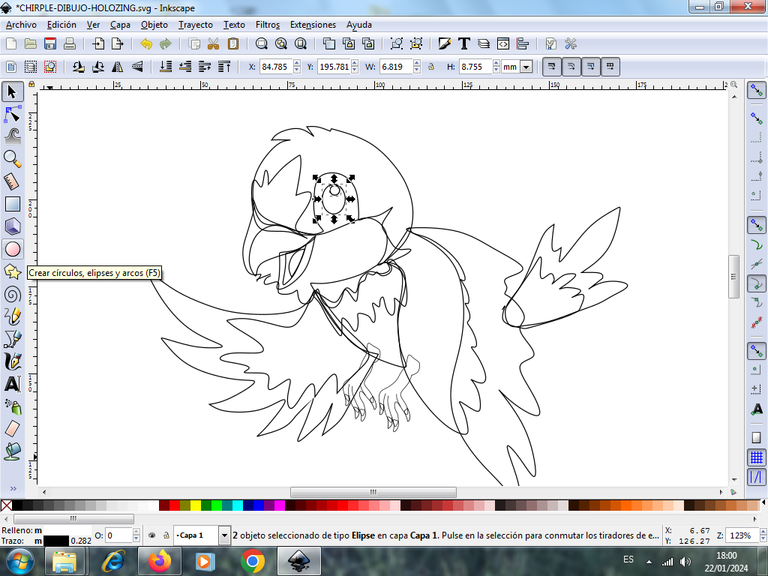
Step 9:
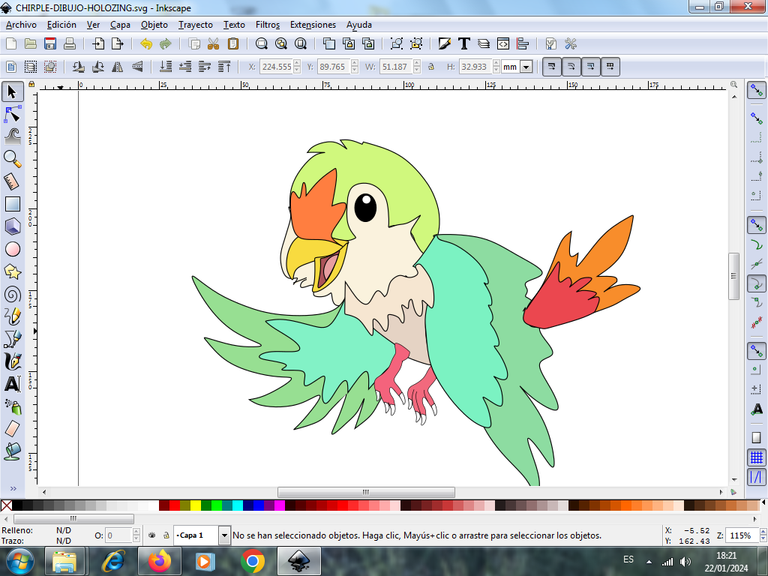
Now we begin to apply the color to our character, we select the part of the head and choose the light green color in the color palette located at the bottom of the application.
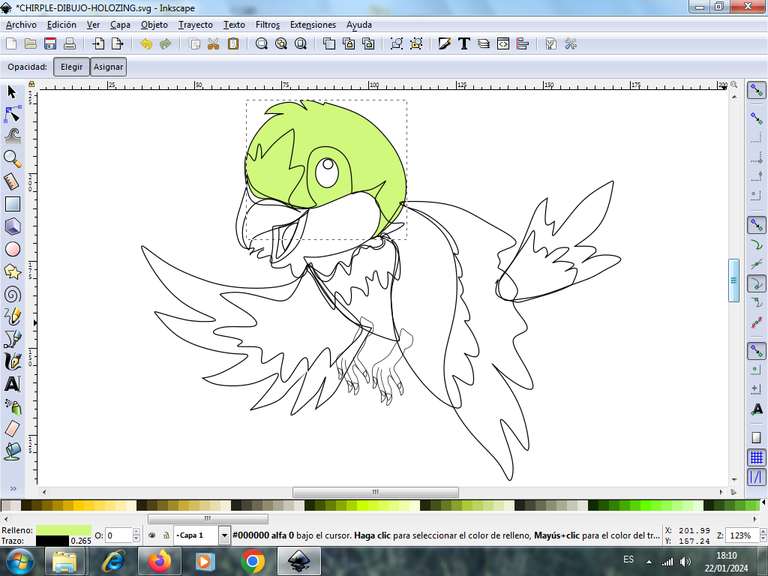
Step 10:
We continue by placing the colors on the other parts of our bird.
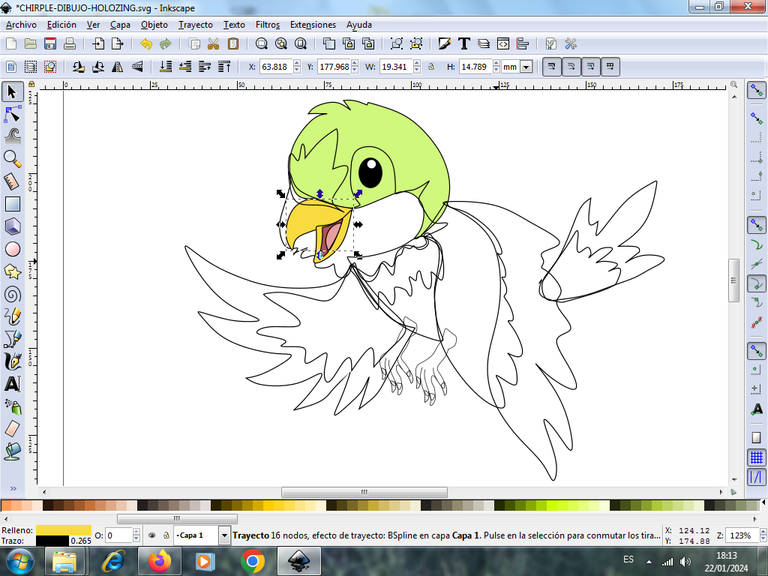
Step 11:
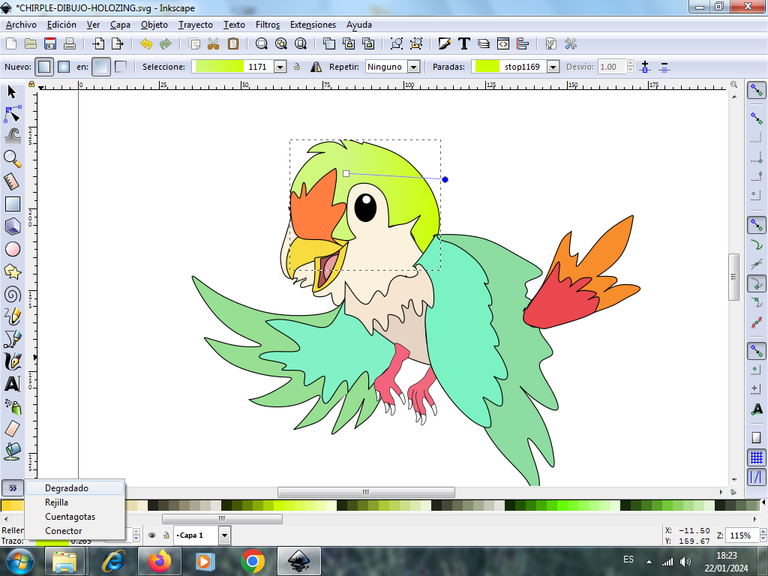
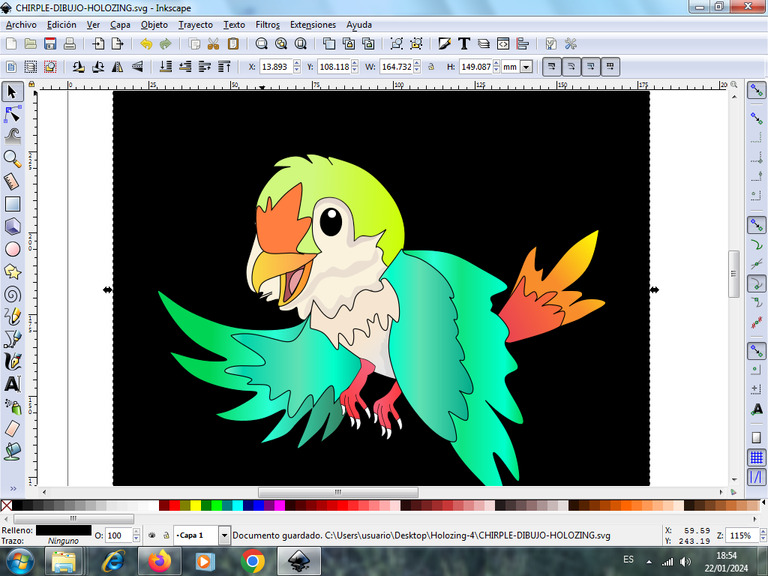
Then we begin to apply the gradient effect in several parts of the bird's body, starting first with the head, we select it, we click on the bottom left in the gradient option, a line with the first color will appear, we click on it so that the second point appears, where we will choose the second darker color, so that the gradient effect can be seen. In this way we do it in the other parts of the drawing, the gradient is an effect produced by two or more colors, that's why we have to do it this way.
Step 12:
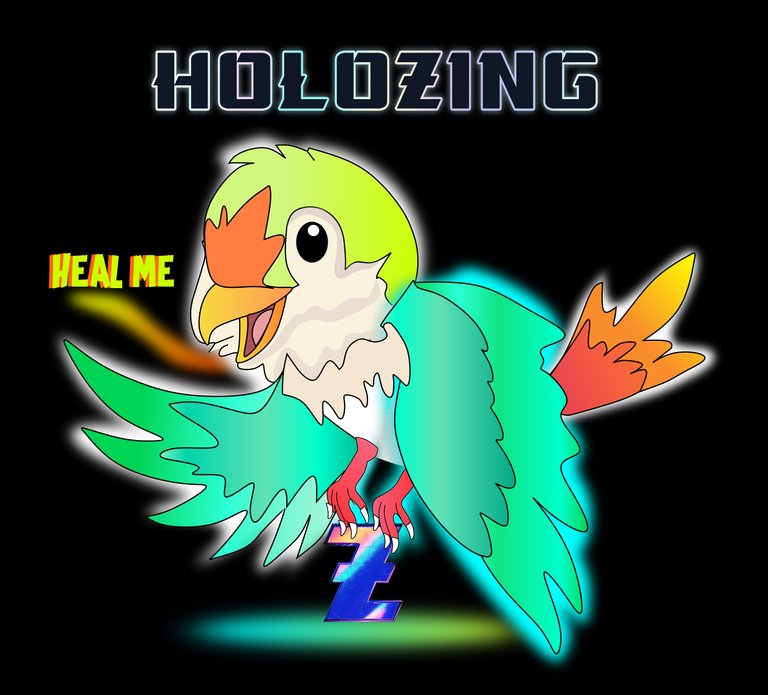
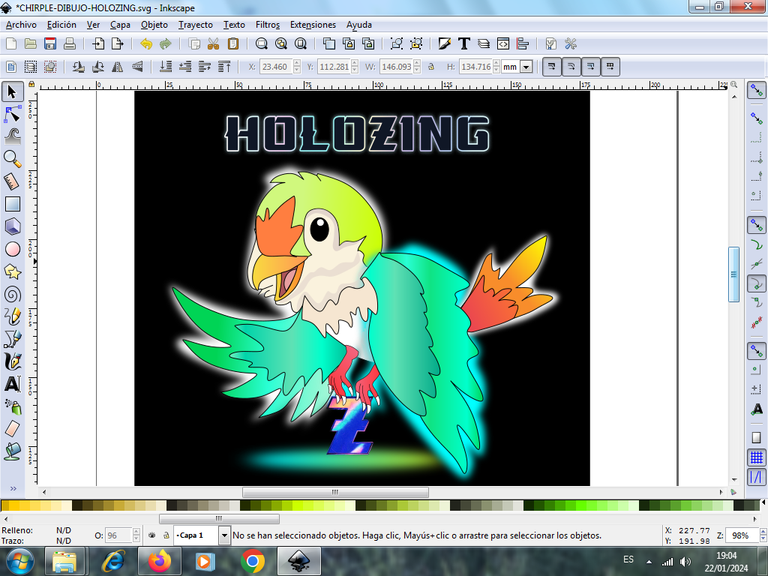
We draw five figures and place them to the background, apply white, light blue colors, then give them a gradient effect and send them to the background. Then we insert the Z application logo at the bottom and the word Holozing at the top, this way we finish our illustration
I hope you liked it, and I encourage you to invest and promote this Holozing game.
Design applications used: Inkscape
Animation program: Gimp
Used the logo and the figure of the Holozing.com page.
Design applications used: Inkscape
Animation program: Gimp
Se utilizo el logo y la figura de la pagina en Holozing.com

Vote la-colmena for witness By @ylich

https://reddit.com/r/holozing/comments/19dbefn/drawing_chirple_from_the_holozing_game_in_inkscape/
The rewards earned on this comment will go directly to the people( @cetb2008 ) sharing the post on Reddit as long as they are registered with @poshtoken. Sign up at https://hiveposh.com.
https://inleo.io/threads/cetb2008/re-leothreads-2khgree2d
The rewards earned on this comment will go directly to the people ( cetb2008 ) sharing the post on LeoThreads,LikeTu,dBuzz.
Excelente hermano como siempre haciendo tus diseños. Este fe Chirple está muy bueno y nos indicas el paso a paso. Bueno, en el diseño siempre has demostrado calidad.
Saludos amigo, muchas gracias.
Está increíble amigo 👌🏻😎
Gracias amigo.
Hola, @cetb2008
Mi amigo, el Chirple te quedó espectacular. También dispongo del software que usaste, pero aún no lo he explorado.
Saludos.
Saludos, que bueno, puedes aprender poco a poco a manejar la herramientam
Nice piece of art.
How can I participate in the games
Greetings, thank you very much for your comment, to learn more about the game go to the Holozing.com page
At holozing.com,I can't find the characters
Congratulations @cetb2008! You received a personal badge!
You can view your badges on your board and compare yourself to others in the Ranking
Saludos muchas gracias por la insignia.
¡Bien hecho @cetb2008! Es un éxito para ti y beneficia a la comunidad. ¡Sigue así!