Digital Archaeology: Fujitsu LifeBook N6420


The Fujitsu LifeBook N6420 is a Core 2 Duo based laptop that was released circa 2006. In an era when the laptop market was dominated by HP, Dell, Lenovo, etc., the LifeBook line by Fujitsu was somewhat less common. Unlike various Dell and HP models which came in a multitude of configurations, the LifeBook N6420 seems to have only had two basic configurations. Overall, it seems to have been a relatively high end model though not quite rising to the level of professional workstation or gaming powerhouse.
Specs of this particular model include:
- CPU: Core 2 Duo T5600 @ 1.83GHz
- Memory: 4 GB DDR2-333
- Graphics: ATI Mobility Radeon X1400
- Motherboard: Fujitsu FJNB1C3
- Chipset: Mobile Intel 945PM Express Chipset
- Screen: 1440x900
- Hard Drive: ATA FUJITSU MHY2160B (160 GB)
For more detailed specs, see the report from HardInfo.

The Radeon X1400 isn't he fastest in the world but it is still a big jump over the integrated Intel graphics that seemed to be ubiquitous at the time. The advertised 256MB of "Hypermemory" is a bit misleading though. Hypermemory was ATI's technology for sharing system memory via the PCI Express bus. The actual onboard memory was less. Techpowerup says it has 128MB of DDR2 but I don't know if that amount varied. At any rate, it really wasn't good enough for anything but older games even at the time.

The screen at 1440x900 was also a step above the typical resolutions though there were higher available on other laptops. Both "recommended" configurations included the same screen so I don't think a higher resolution screen was available on this model.

I suppose that the same can be said for the CPU. The Core 2 T5600 at 1.83 GHz was not the absolute fastest available but it was still on the higher end, outpacing lesser Pentium and Celeron models especially. It would have also been faster and more power efficient that equivalent Turion models that would have been around at the time.

This laptop also has a few somewhat unique features mainly in the form of a control panel above the keyboard. There is a switch to turn wi-fi on and off as well as a volume button and a visual optimizer button. The visual optimizer button doesn't seem to do anything in Linux but it supposedly optimizes visual setting somehow. There is also a disc control that can be used to control DVD playback or be set to launch applications (web browser, e-mail, etc.) based on the mode (which is another button).

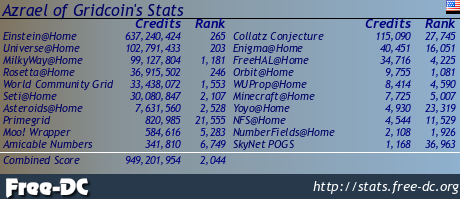
A Core 2 Duo can run pretty much any BOINC project and this one has been running Asteroids@home, Einstein@home, Milkyway@home, Rosetta@home, Universe@home and World Community Grid which covers all of my normal projects. You can also see statistics for this machine on FreeDC and BOINCStats.
Check out some of my other recent posts:
Vintage Photos - Lot 6 (477-480)
https://ecency.com/@darth-azrael/vintage-photos-lot-6-477
Byte (December 1985)
https://ecency.com/@darth-azrael/byte-december-1985
Vintage Photos - Lot 6 (473-476)
https://ecency.com/@darth-azrael/vintage-photos-lot-6-473
PC World (September 1986)
https://ecency.com/@darth-azrael/pc-world-september-1986
Check out my other Social Media haunts:
Wordpress: https://www.megalextoria.com/wordpress
Tumblr: https://www.tumblr.com/blog/darth-azrael
Blogger: https://megalextoria.blogspot.com/
Blue Sky: https://bsky.app/profile/darth-azrael.bsky.social
Odyssee: https://odysee.com/@Megalextoria:b
Rumble: https://rumble.com/c/c-2385054
Daily Motion: https://www.dailymotion.com/Megalextoria
Books I am reading or have recently read:
Four Past Midnight by Stephen King.
Liberty's Last Stand by Stephen Coonts.
Eruption by Michael Crichton and James Patterson.
Mine Monero in your browser!
Earn Gridcoin while also helping various scientific projects by sharing your computer's idle CPU time!
There was a Fujitsu lifebook that was ultraportable, I always wanted it. But it was hard to find and not as cheap as I thought it could be. You can see the comparison with a regular laptop here, this was before the netbooks became a thing.

With ultraportables it seemed like you were always paying more for less not only in terms of size, but in terms of power. I figure if it fits in a backpack its portable enough for me. I would rather have the power.
Well power was always a trick for me, I always rather have more descentralized computer than power. So when people wanted to buy a PC, they wanted the most powerful so they don't need to upgrade as much. But I think that it didn't matter how much power did you had, a computer will be thrown on it's knees when you installed an anti-virus, heavy applications, and Windows memory leaks. Instead I rather have multiple devices that cover my day, a PC, a Laptop and a PDA/Tablet/netbook. Didn't need to be top of their line, but they needed to be there. Specially when I went to Linux, all devices were overpowered now as I didn't need that much overhead.
I've used a tablet form time to time but I find that either my phone is sufficient or I would prefer to have a laptop (or desktop if I don't need the portability). If I'm going to carry a laptop, then I prefer something with a full size keyboard and as large of a screen as I can reasonably carry. It doesn't have to be top of the line. It just never made sense to me to pay more for a somewhat smaller and less powerful computer that I'm still going to probably have to throw in a backpack anyway. Of course these days even large, powerful laptops are pretty thin and light unless you are going for a high end gaming or workstation class laptop.
But yeah, I generally prefer to buy something a little cheaper and less powerful (to a point) and upgrade more frequently if I need to than spend a fortune on something top of the line. While I prefer Linux these days, whether you are running Windows or Linux isn't going to change how fast that video renders, AI model runs, program compiles, game runs, etc. significantly. If you need the power then you need the power regardless. On old computers, Linux is definitely the way to go if you want a modern operating system on it. Windows 10 and beyond in particular are awful on anything with a mechanical hard drive no matter how new.
But you see computing as a monolith. I don't, at least not often.
Just like you use your phone in a completely different way than a PC or a computer.
Early 2000s there was the sentiment of internet appliances. Inexpensive devices that do one or two things. The point was to search for recepies on your computer kitchen. Or a tablet to check your house webcams or doorbell.
By mid 2000s there was the view of "couch computing", basically something you have around the couch to do a quick search for something you view on the TV. In my version, that was the eeePC netbook which allowed me to search for people and companies I watched on the Discovery Channel or History channel, just to get more info about them.
No need to run blender or second life or whatever immersive application. So a 120 usd netbook was perfect device for the TV room.
I have tons of computing devices from early android tablets and iphones, to PCs of every generation and even a Commodore 64.. I dont really see computing as monolithic or im not sure what you mean by that. I frequently use them for dedicated purposes. However, i never found devices supposedly dedicated to certain tasks to be a good value (though it is a little different now). A cheap PC/laptop could give me the same functionality for about the same price and could be used or repurposed later for other things as well. I always liked that flexibility. Even today, a PC (even one a decade old or more) attached to my TV offers better performance and less frustration than my Fire Stick for streaming. Of course, nothing beats tje price of a fire stick these days but dedicated devices werent always such a bargain.
Update: @darth-azrael, I paid out 0.280 HIVE and 0.000 HBD to reward 1 comments in this discussion thread.